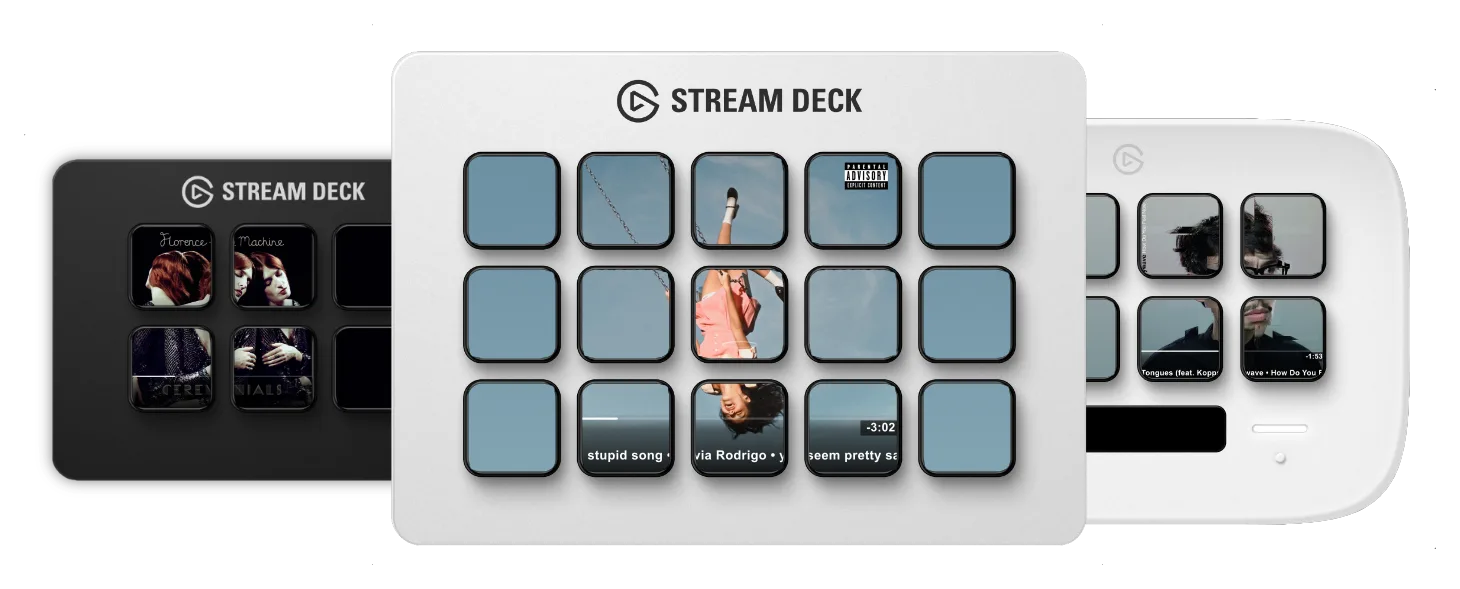
Music is art. Art is also art.
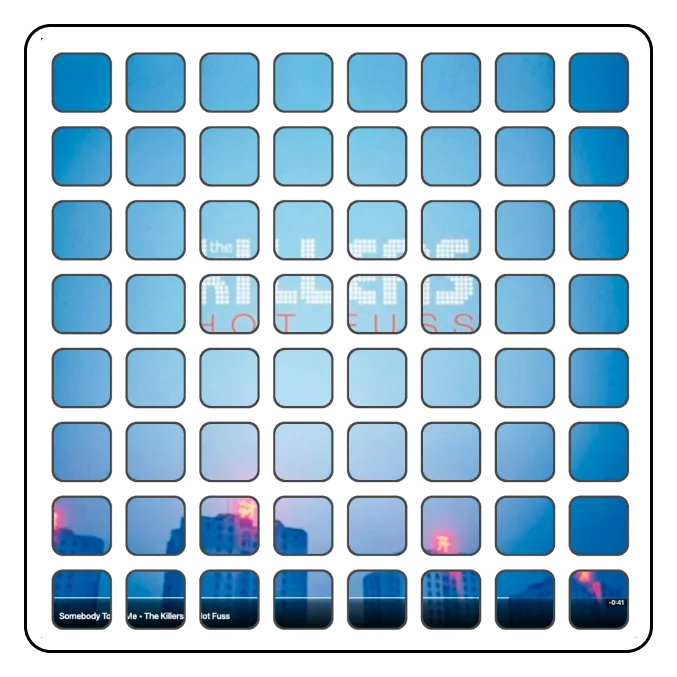
Full album art from one key to sixteen. Or go virtual and use sixty-four. For some reason. MusicDeck splits the cover of whatever's playing in Apple Music across as many Now Playing keys as you give it, then lays the track title, artist, album, progress bar and time remaining over the bottom row.
Pause your music, not your flow.
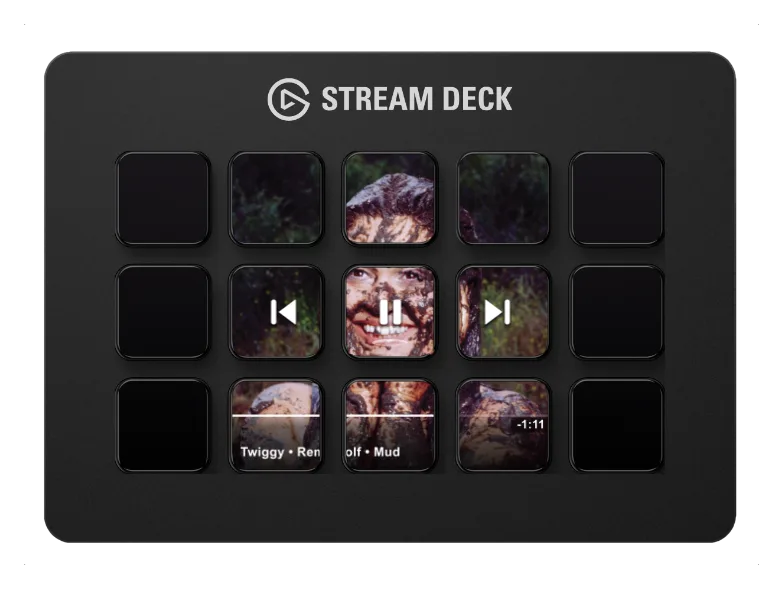
Always know what's playing. Play, pause and skip without changing your focus, whether you're mid-game, mid-edit or mid-stream. Tap the art to play or pause, tap the keys beside it to skip, or hold them to scrub. Turn on control icons to see the buttons right on the cover.
Music volume, separate from your Mac's.
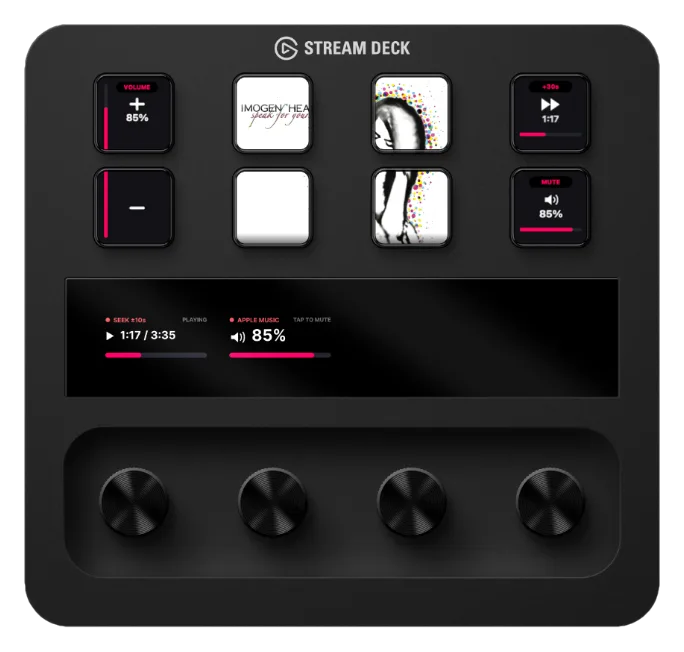
Fade in your music when a stream needs some drama. MusicDeck's Volume action changes Apple Music's own volume, not your whole Mac's, so your game, call and alerts stay put. Set up volume and seek on single keys, key pairs, or the dials and touch strip on Stream Deck +.
You want options? We have options.
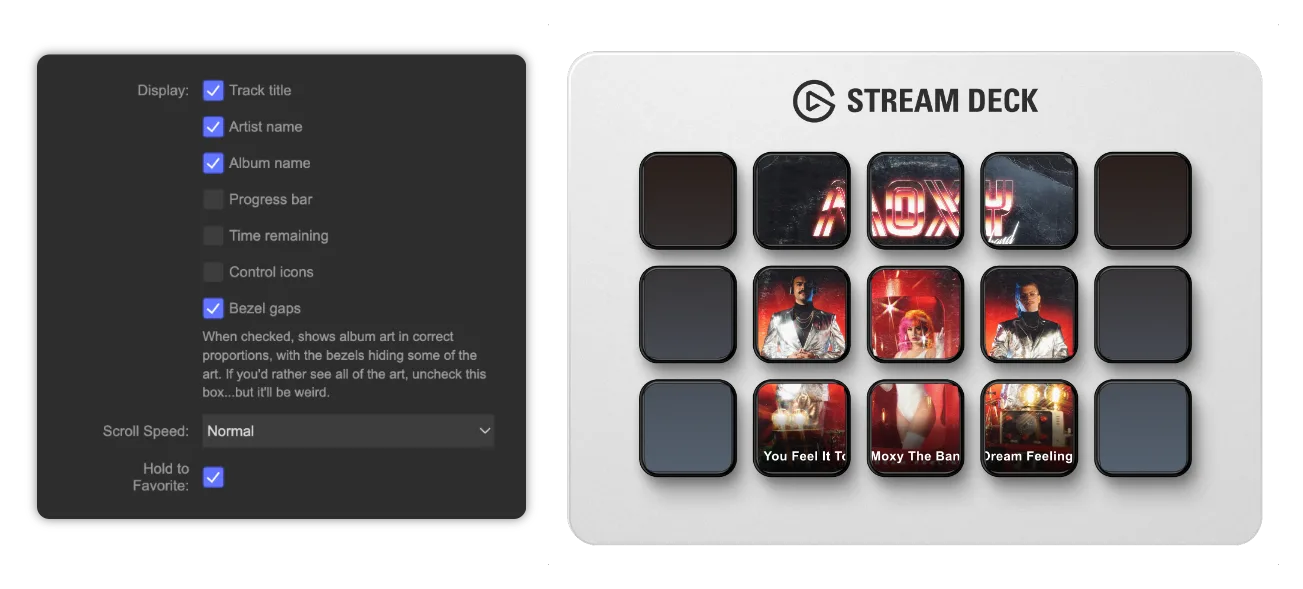
You choose what you want to see: track title, artist name, album name, progress bar, time remaining, control icons and bezel gaps. Pick your scroll speed, and hold to favorite a song without ever opening Music.
Questions, answered.
Does MusicDeck work with Spotify or other music apps?
No. MusicDeck is built specifically for the Apple Music app on Mac, so it can do things a generic media controller can't, like Apple Music volume that's separate from your Mac's and hold to favorite.
Does MusicDeck work on Windows?
No. MusicDeck is Mac only and needs macOS Tahoe (26) or later.
Which Stream Deck models are supported?
All of them: Stream Deck MK.2, Mini, XL, Neo, Stream Deck +, and the virtual Stream Deck. Volume and seek work on the Stream Deck + dials too. You need Stream Deck software 7.1 or later.
What actions does MusicDeck include?
Three: Now Playing (album art, track info and play/pause/skip), Volume (Apple Music volume and mute on keys, key pairs or a dial) and Track Seek (skip forward or back, or scrub with a dial).
How much does MusicDeck cost?
MusicDeck is a paid plugin sold through the Elgato Marketplace. You'll find the current price on its Marketplace listing.
Does MusicDeck collect my data?
See the MusicDeck privacy policy for the details.
Why is part of the album art hidden?
That's the Bezel gaps setting. It keeps album art in correct proportions, so the gaps between keys hide a little of it. Uncheck Bezel gaps in the action's settings to see all of the art, stretched a bit. It'll be weird. We warned you.
How do I favorite a song?
Press and hold the play/pause Now Playing key for half a second. Hold to Favorite is on by default, and you can turn it off in the Now Playing settings.
MusicDeck isn't showing anything. What do I do?
Make sure the Music app is open and playing something. If macOS asked for permission to control Music, allow it. You can change it later in System Settings › Privacy & Security › Automation. Still stuck? Send us a note.